Cracking JRebel in IntelliJ IDEA 2020
With the latest JRebel installed in IDEA, the only thing left is activation. I'll jot down the steps while I'm at it, and also sort out how hot deployment actually works and where its boundaries are.
Why bother with it
One of the most patience-draining parts of Java development is having to restart the whole service just to change a single line of code. A Spring application of any real size has to run through class scanning, bean instantiation, context refresh, and connection pool init on startup, and the bigger the project, the slower it gets. Tweaking a string, adjusting one if branch, fixing a null pointer — each one costs you a full startup.
What JRebel does is cut out that wait: change a class file and it takes effect immediately, no process restart, with the in-memory sessions, caches, and connections all still intact.
Where hot deployment draws the line
The JVM itself can do hot swapping. A debugger uses JPDA to call JVMTI's RedefineClasses, which can swap out the bytecode of an already-loaded class — but only the method bodies.
The moment you touch the structure of a class, it fails:
- Adding or removing methods
- Adding or removing fields
- Changing the inheritance hierarchy or implemented interfaces
- Changing annotations or method signatures
Any of these throws schema change not implemented outright, and a restart is your only option.
JRebel doesn't go through standard HotSwap. Instead it hooks into the class-loading phase, rewrites the bytecode, and maintains its own version mapping, so structural changes take effect too. It also adapts to frameworks like Spring, Hibernate, and MyBatis — add a @Service, edit an XML mapping, add a Controller method, and the framework-side metadata refreshes along with it. That adaptation work is substantial, and it's why the tool costs money.
Activation steps
Click the activation page.
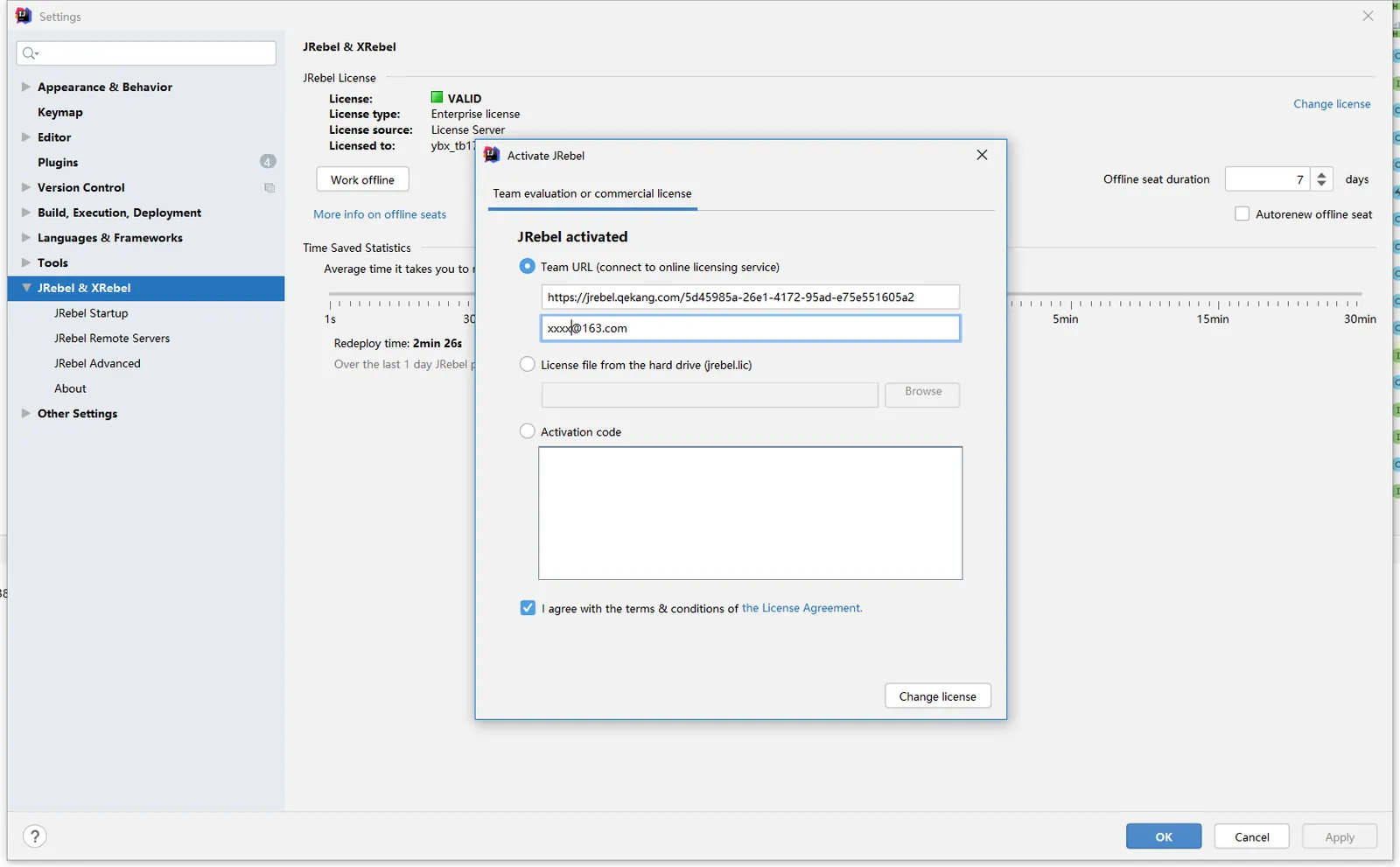
Choose online server license activation.
Enter the server license URL.
The URL is: https://jrebel.qekang.com/{GUID}
The GUID part needs to be generated (generator):
Go to the site, generate a GUID, and paste it into the URL.
Check the box to agree to the terms and click activate.
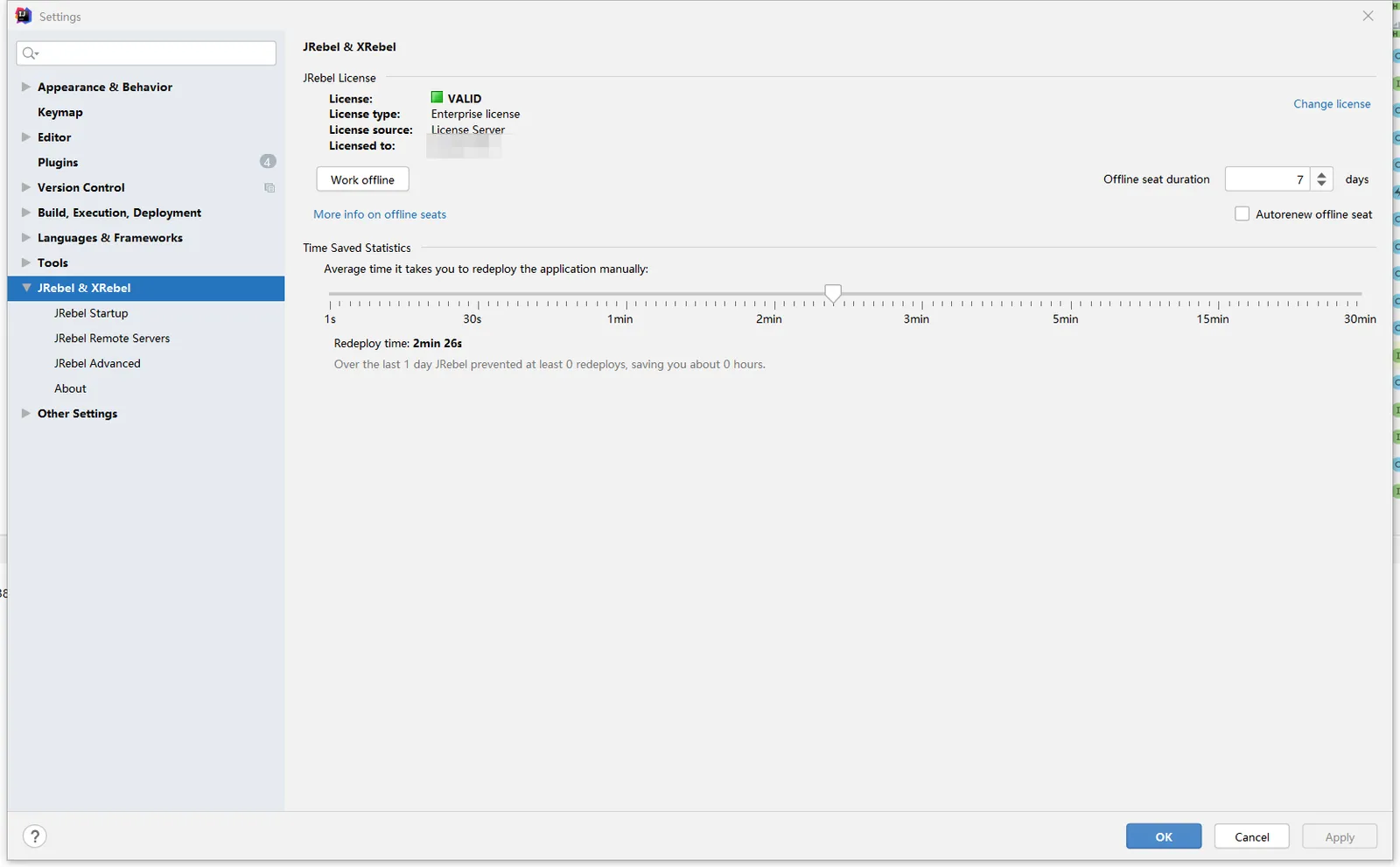
That's it — JRebel is cracked.
The URL here is a full string of "server address + a GUID," not just the domain. The GUID acts as a client identifier; just generate a new one of your own. The email field afterward can be anything — the license server doesn't validate it.
Pitfalls and things to watch
-
Successful activation doesn't mean it's working. JRebel needs its own Run / Debug buttons to launch the app; using the regular Run won't mount the agent, and changed code still requires a restart.
-
rebel.xml decides where it looks for classes. JRebel relies on this file to map the runtime classpath back to the project's compiled output directory. For Maven projects, generate it with
jrebel-maven-plugin:
<!-- Add this to build/plugins in pom.xml, then run mvn jrebel:generate to produce rebel.xml -->
<plugin>
    <groupId>org.zeroturnaround</groupId>
    <artifactId>jrebel-maven-plugin</artifactId>
    <executions>
        <execution>
            <id>generate-rebel-xml</id>
            <phase>process-resources</phase>
            <goals>
                <goal>generate</goal>
            </goals>
        </execution>
    </executions>
</plugin>
The IDEA plugin usually handles this automatically; for multi-module projects, confirm every module gets one generated.
-
It depends on external network access. This kind of online licensing has to reach the license server on every startup, so an intranet dev machine or an offline environment will hang right at the validation step.
-
Upgrades break it easily. After a major IDEA version bump the plugin may not be compatible, and the license server itself could be shut down at any time.
Using a third-party license server is essentially bypassing JRebel's commercial licensing. Fine for personal tinkering, but doing this in a commercial project carries legal risk — for team environments, go with a proper license.
Less hassle: the alternatives
If all you want is to restart less often, JRebel isn't your only option:
- DCEVM + HotSwapAgent: an open-source route. DCEVM is a modified JVM that loosens HotSwap's restrictions to support adding and removing methods and fields; HotSwapAgent builds on top of it to fill in the framework adaptations. Its capabilities come close to JRebel's, at the cost of swapping out your JVM.
- Spring Boot DevTools: uses two ClassLoaders to separate third-party dependencies from your business code, so only the business layer restarts on a change. It's not true hot deployment, but the restart is far faster than a cold start — zero cost, zero risk.
- IDEA's native HotSwap: in Debug mode, just recompile a single class and it takes effect. Only method bodies can change, but that's plenty for day-to-day tweaking of parameters or logging.
- JRebel also offers a free trial officially; during an evaluation, using the official one is simply less trouble.
Wrap-up
Hot deployment tools solve exactly one problem: the feedback loop being too long. Once you understand the hard boundary that the JVM only allows replacing method bodies, you see where JRebel's price comes from and why DevTools is only a compromise. Which one to pick depends on your project's size and the cost you're willing to accept.
COMMENTS