Installing Containerd on Debian
Containerd official site: containerd – An industry-standard container runtime with an emphasis on simplicity, robustness and portability
Official installation guide: containerd/docs/getting-started.md (github.com)
Environment
Debian 11.5.0
Downloading the Containerd release package
Download page: https://github.com/containerd/containerd/releases
Since containerd needs to invoke runc, we would normally have to install runc first. Fortunately, containerd provides a bundle called cri-containerd-cni that includes the required dependencies, saving us the trouble of installing everything one by one.
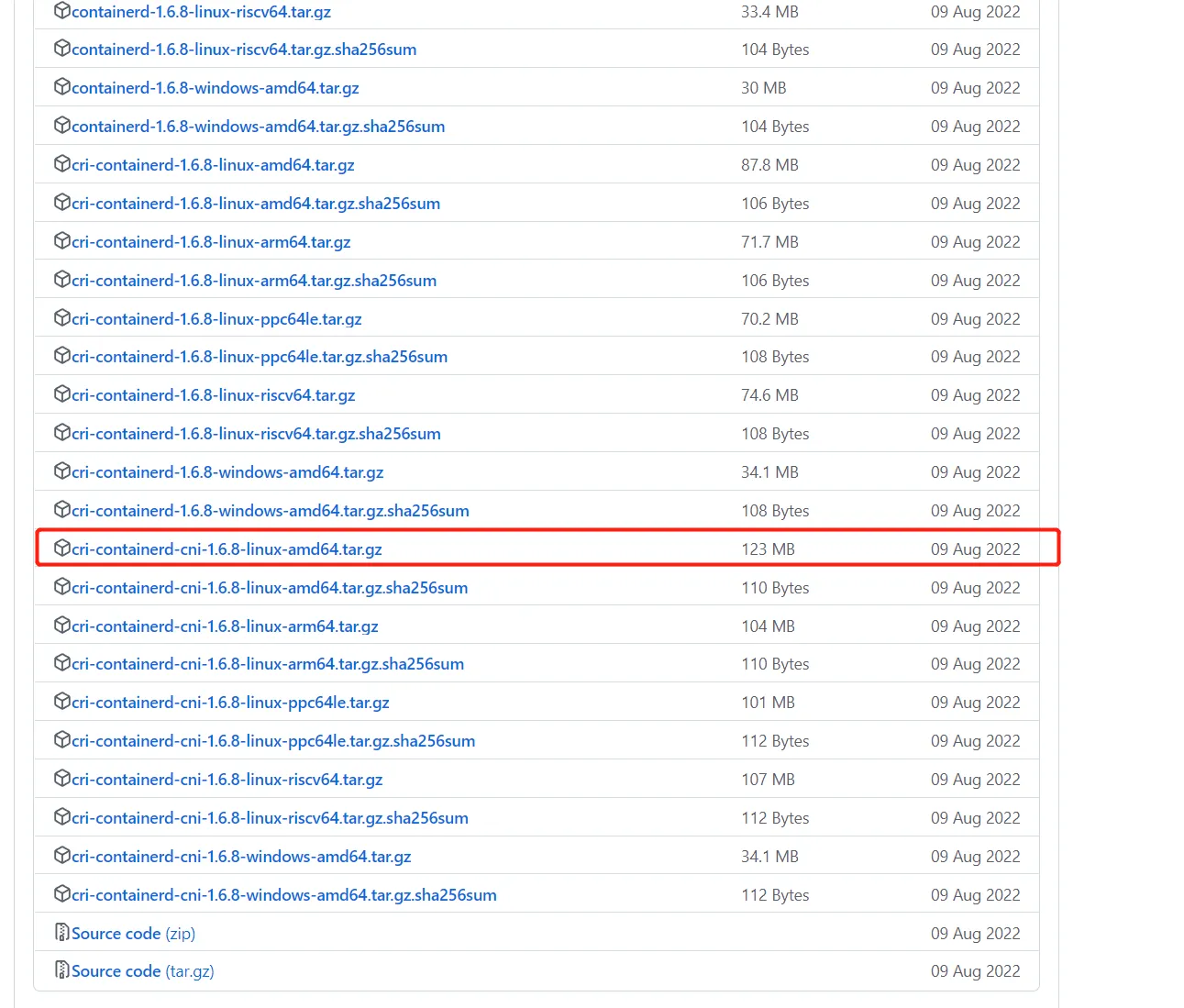
Run the download command:
wget https://github.com/containerd/containerd/releases/download/v1.6.8/cri-containerd-cni-1.6.8-linux-amd64.tar.gz
If the download is too slow from inside China, try this address (a domestic proxy site):
wget https://download.fastgit.org/containerd/containerd/releases/download/v1.6.8/cri-containerd-cni-1.6.8-linux-amd64.tar.gz
Extracting the archive to the root directory
The archive's directory layout already mirrors the system hierarchy, so just extract it straight into the / root directory:
tar -C / -xzf cri-containerd-cni-1.6.8-linux-amd64.tar.gz
Setting environment variables
Append /usr/local/bin and /usr/local/sbin to the PATH environment variable in ~/.bashrc:
vim ~/.bashrc
Add the following:
# Let the shell find containerd's executables
export PATH=$PATH:/usr/local/bin:/usr/local/sbin
Then apply the change:
source ~/.bashrc
Generating containerd's default config file
The config file can live under etc:
mkdir -p /etc/containerd
# Export the default configuration as config.toml
containerd config default > /etc/containerd/config.toml
Configuring a domestic registry mirror
With the default config generated, we manually add a domestic registry mirror address:
vim /etc/containerd/config.toml
Find this line [plugins."io.containerd.grpc.v1.cri".registry.mirrors]
around line 153:
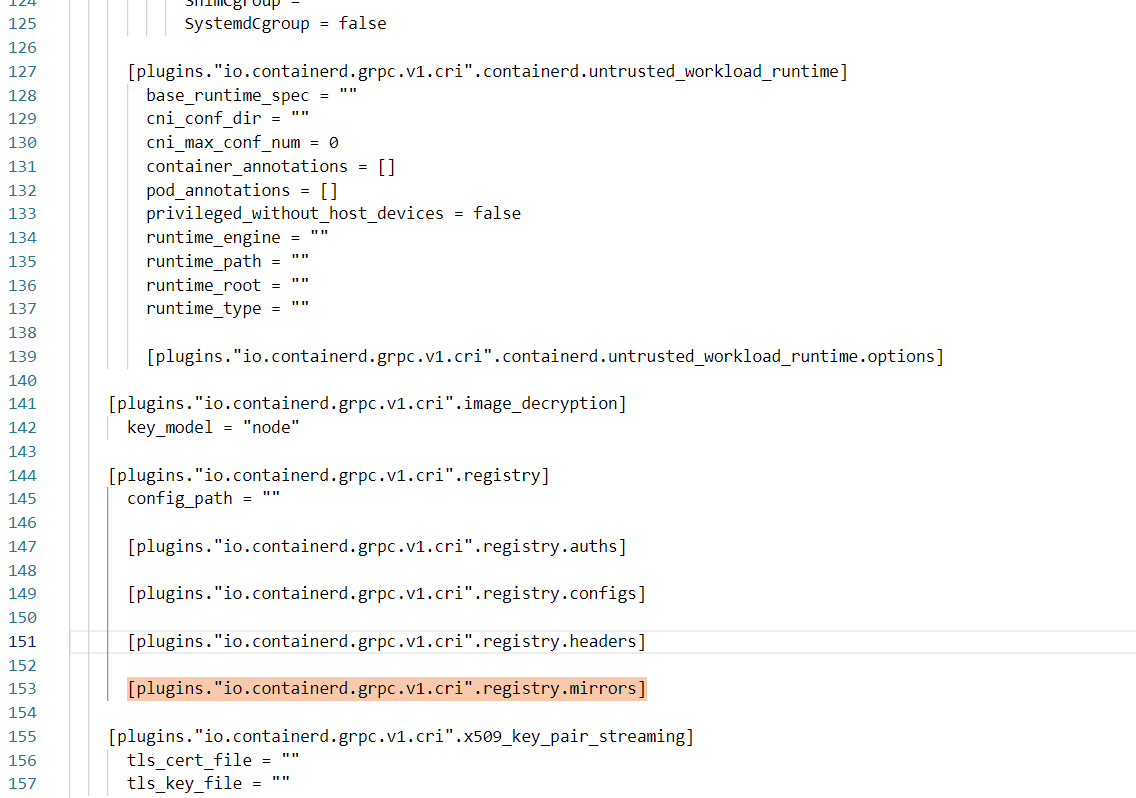
Add the following, minding the indentation:
    # Point docker.io and k8s.gcr.io at their respective domestic mirrors
    [plugins."io.containerd.grpc.v1.cri".registry.mirrors."docker.io"]
      endpoint = ["https://kvuwuws2.mirror.aliyuncs.com"]
    [plugins."io.containerd.grpc.v1.cri".registry.mirrors."k8s.gcr.io"]
      endpoint = ["https://registry.aliyuncs.com/k8sxio"]
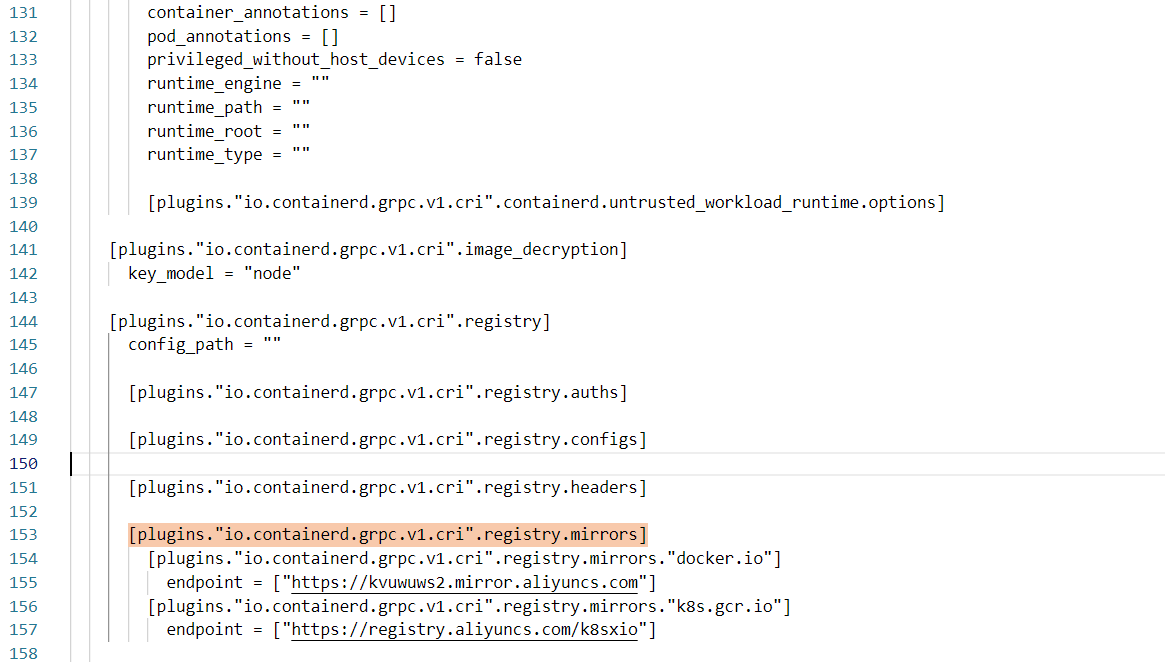
Save the file after configuring.
In the config, root is where container data is stored — feel free to change it:
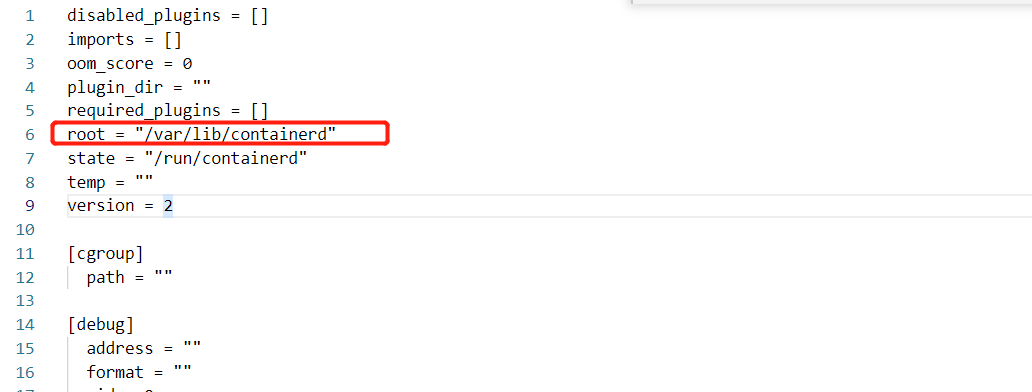
Starting the containerd service and enabling it at boot
# --now starts the service immediately while also enabling it at boot
systemctl enable containerd --now
Verify the service started successfully:

With that, containerd is installed and running.
Wrapping up
Installing containerd on Debian really comes down to four steps: download the official cri-containerd-cni release package, extract it to the root directory, configure PATH and the default config file, and start the service with systemd. The bundle already includes runc and the CNI plugins, sparing you from installing each dependency separately. In China it's worth configuring a registry mirror while you're at it — pulling images will be a much better experience. And if you later want to hook this up to Kubernetes, this same installation approach carries over directly.
COMMENTS